Temporal AA
以前记录的旧文档,先简单整理一下,免得遗失
jitter sample
1 | View.ViewMatrices.HackAddTemporalAAProjectionJitter(FVector2D(SampleX * 2.0f / View.ViewRect.Width(), SampleY * -2.0f / View.ViewRect.Height())); |
- Halton(2, 3) sequence
- Box-Muller transform
Reprojection
1 | ViewUniformShaderParameters.ClipToPrevClip = InvViewProj * PrevViewProj; |
- 当前帧屏幕坐标(ScreenPos)通过viewproj矩阵,reproject到上一帧(history)的屏幕坐标,这针对静止模型或只有相机运动的情况
- 通过矩阵的Reprojection在模型存在运动时就失效了(动画:位移、骨骼动画等),需要通过motion vector(velocity buffer)来判断是否存在模型的运动,如果存在就使用motion vector来采样历史帧的屏幕坐标
- motion vector可以
细节
- history buffer的维护 history buffer是由View.PrevViewInfo.TemporalAAHistory和View.ViewState->PrevFrameViewInfo.TemporalAAHistory维护,保存在FTemporalAAHistory的RT[]成员中。在AddGen4MainTemporalAAPasses中,通过AddTemporalAAPass的InputHistory(View.PrevViewInfo.TemporalAAHistory/OutputHistory(View.ViewState->PrevFrameViewInfo.TemporalAAHistory)参数传入/传出,这俩参数的类型都是FTemporalAAHistory。
1 | const FTemporalAAHistory& InputHistory = View.PrevViewInfo.TemporalAAHistory; |
AddTemporalAAPass中,通过InputHistory传入当前帧的history scene buffer(TAAStandalone.usf, HistoryBuffer);并创建NewHistoryTexture[4],作为TAA Main pass(TAAStandalone.usf/MainCS, OutComputeTex)的输出,是下一帧的history scene buffer;
1 | // HistoryBuffer_0 |
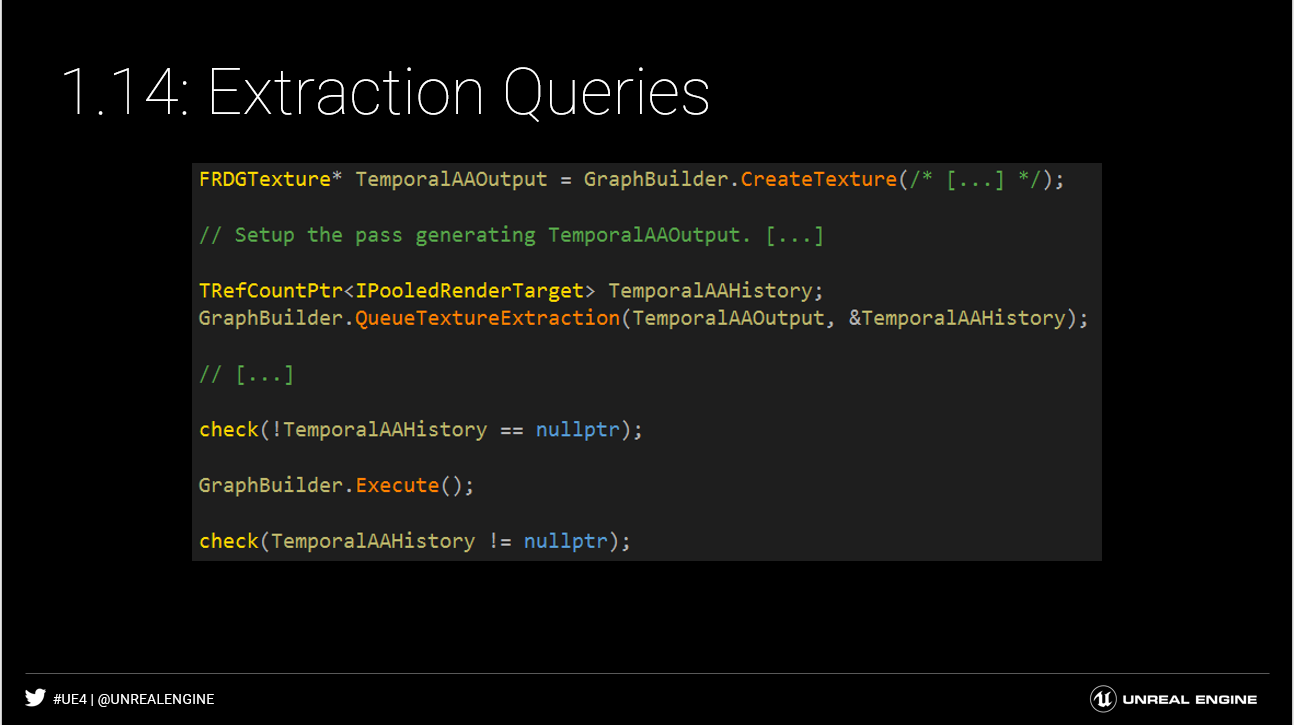
NewHistoryTexture是FRDGTexture类型,作为当前帧的输出,如何成为下一帧的history buffer?FTemporalAAHistory的RT[]是pooled render target,RDG通过提取FRDGTexture的方式延长资源的生命周期,将NewHistoryTexture和OutputHistory->RT[]绑定,在下一帧PreVisibilityFrameSetup中将View.ViewState->PrevFrameViewInfo赋值给View.PrevViewInfo,完成current buffer到history buffer的蜕变,最终走向落幕。 > The pooled render target pointer can also be extracted from a FRDGTexture. This allows you to preserve contents of a resource across graph invocations. However, the extraction is deferred until the graph has executed; this is because the resource may be allocated during execution based on the lifetime of the resource in the graph,The API therefore exposes QueueTextureExtraction, which allows you to provide a pointer which will be filled upon execution of the graph.
1 | { |
ScreenPosToHistoryBufferUV
sample position的处理
blend factor UE4的TAAStandalone.usf实现RGBToYCoCg中,转换矩阵乘了4,得到的luminance也是真实的4倍,根据[1]3.3.1介绍,blend factor为\(w(c) = \frac{1}{1 + L(c)}\),具体实践也相应的体现了4倍。
1
2
3
4
float HdrWeight4(float3 Color, float Exposure)
{
return rcp(Luma4(Color) * Exposure + 4.0); // Luma4得到4倍的亮度,在最终WeightedLerpFactors的计算中,4被约掉
}
- 1.A Survey of Temporal Antialiasing Techniques ↩︎